You bought a new computer? Great, but all your Dropship Beast settings and data are saved locally on your computer.
If you install Dropship Beast on another computer, it will be empty. You need to have a backup of your listings, orders and settings, so they can be imported in a new Dropship Beast installation.
How to create a backup and restore from backup
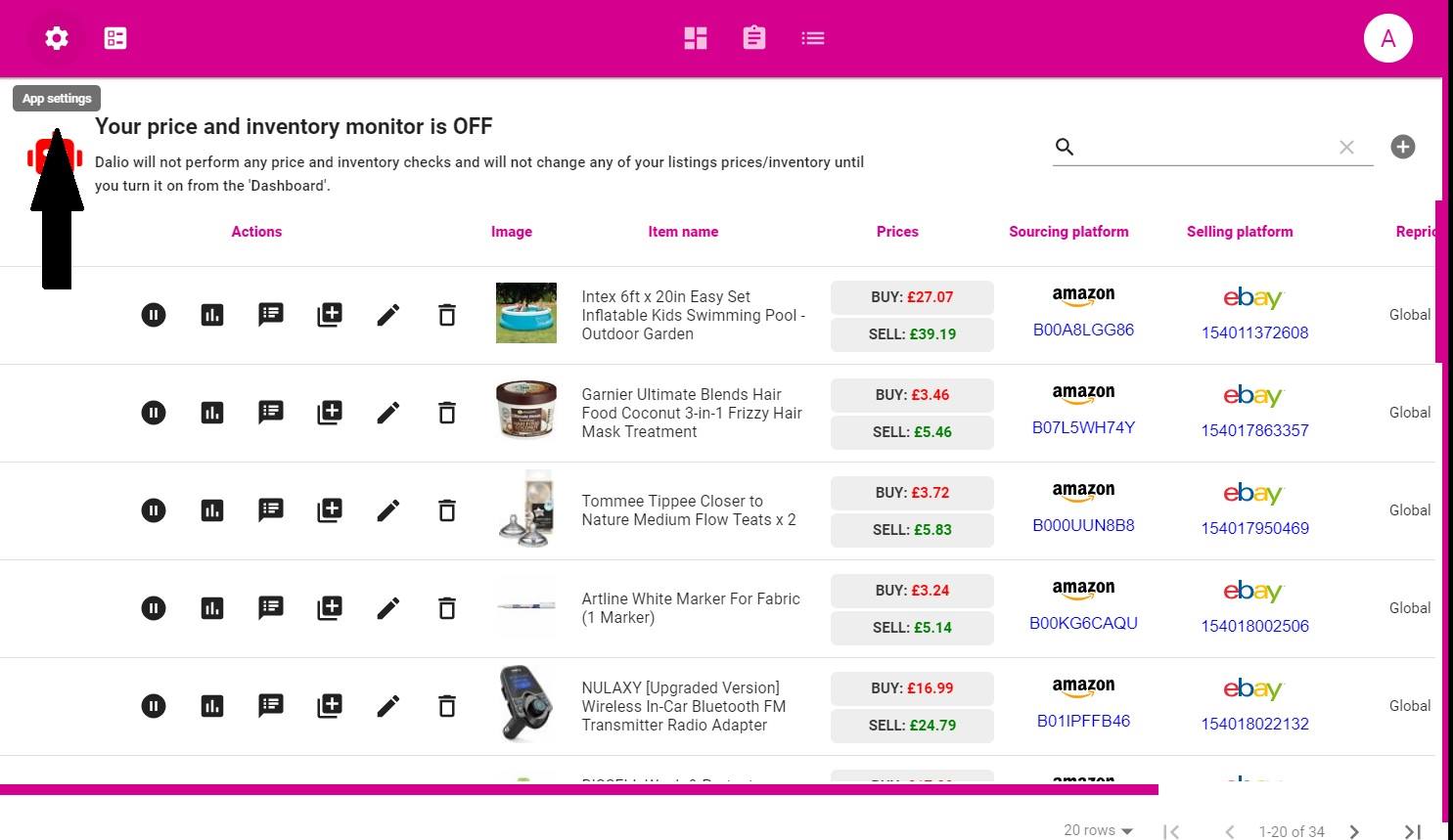
1. Click on ‘App settings’ icon
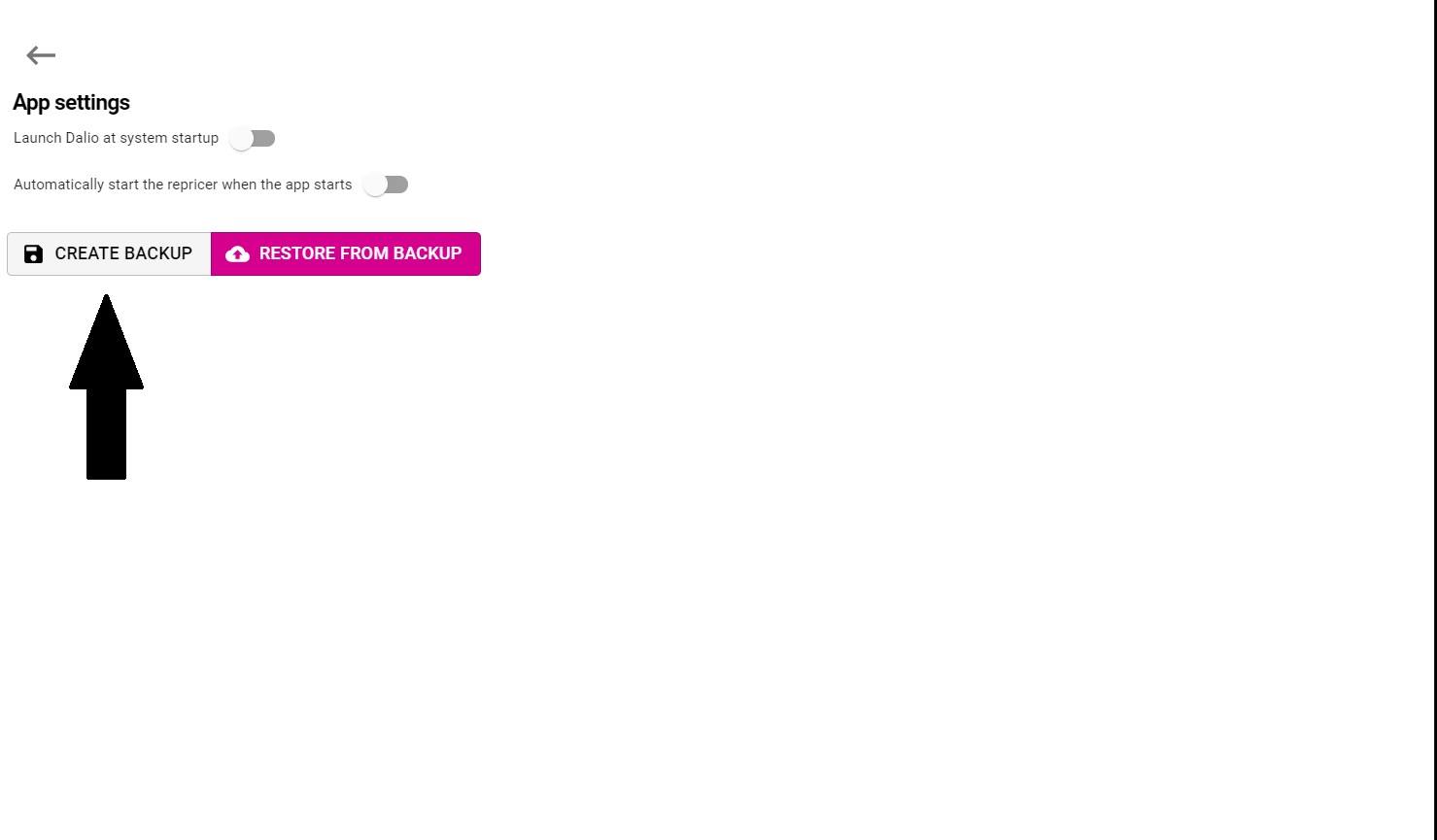
2. Click on ‘Create Backup’ button and save the generated backup file anywhere.
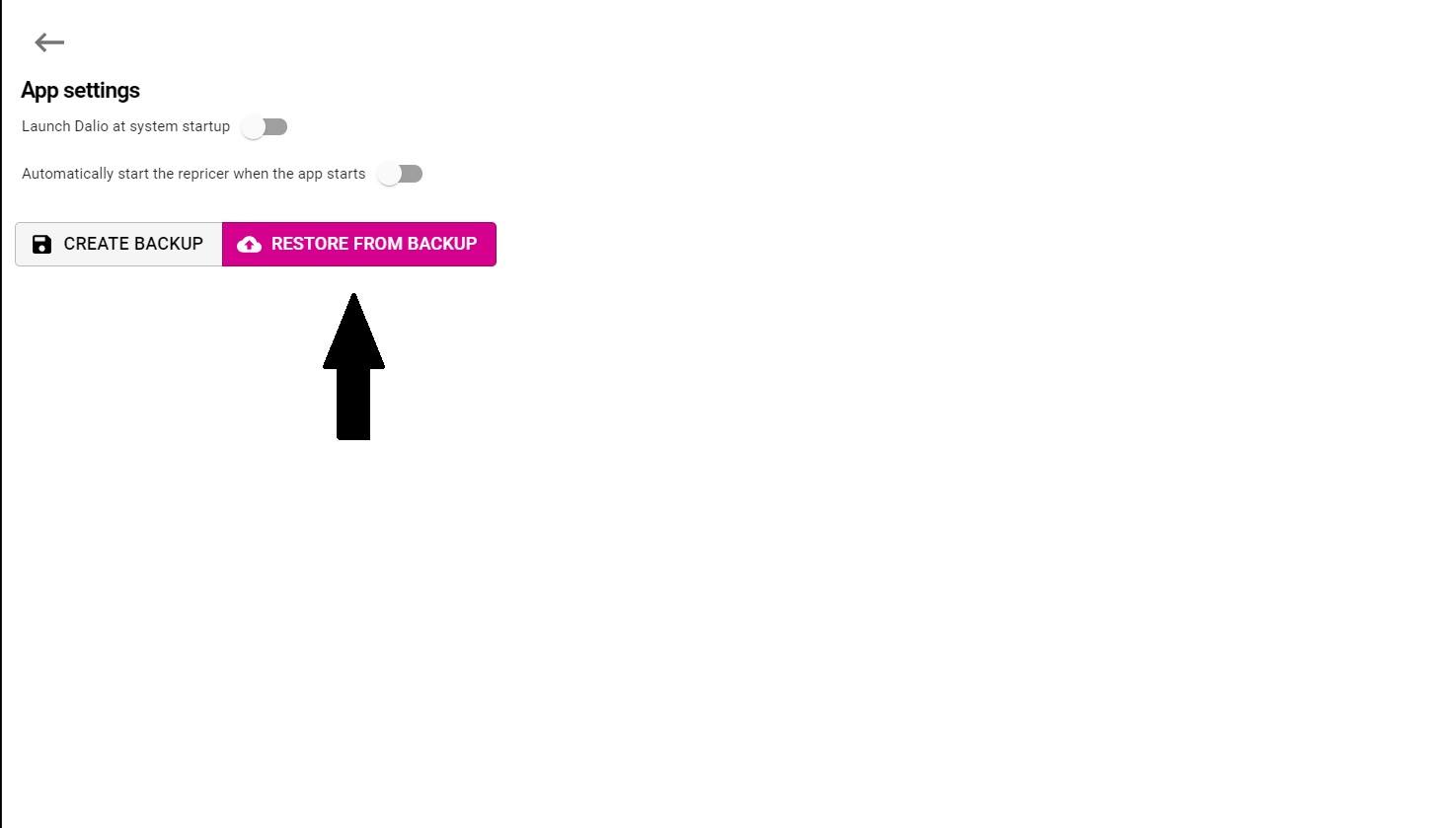
3. If you want to restore the current app state at a later time or on a different machine, just click on ‘Restore from backup’ and choose the previously generated backup file