• Member Area
  • Tutorial & Documentation
  • Changelog
  • Plans
  • Contact Us
  • Other Products
    • Beast Lister
    • Beast Drop
Menu
  • Member Area
  • Tutorial & Documentation
  • Changelog
  • Plans
  • Contact Us
  • Other Products
    • Beast Lister
    • Beast Drop
  • 1. How To Install
  • 2 Connect Ebay
  • 3. Add listings
  • > 3.1 Sync products automatically
  • > 3.2 Add listings manually
  • > 3.4 Automatic listing
  • > 3.5 Add variations
  • 4. Link listings to source products
  • 5. How to start the repricer
  • > 5.1 Repricer settings
  • 6. Understand Logs
  • 7. API Integration
  • 8. Backup / Restore
Menu
  • 1. How To Install
  • 2 Connect Ebay
  • 3. Add listings
  • > 3.1 Sync products automatically
  • > 3.2 Add listings manually
  • > 3.4 Automatic listing
  • > 3.5 Add variations
  • 4. Link listings to source products
  • 5. How to start the repricer
  • > 5.1 Repricer settings
  • 6. Understand Logs
  • 7. API Integration
  • 8. Backup / Restore

3.4 Automatic Listing

3.4 Sign up for Dropship Lister

dropship lister logo

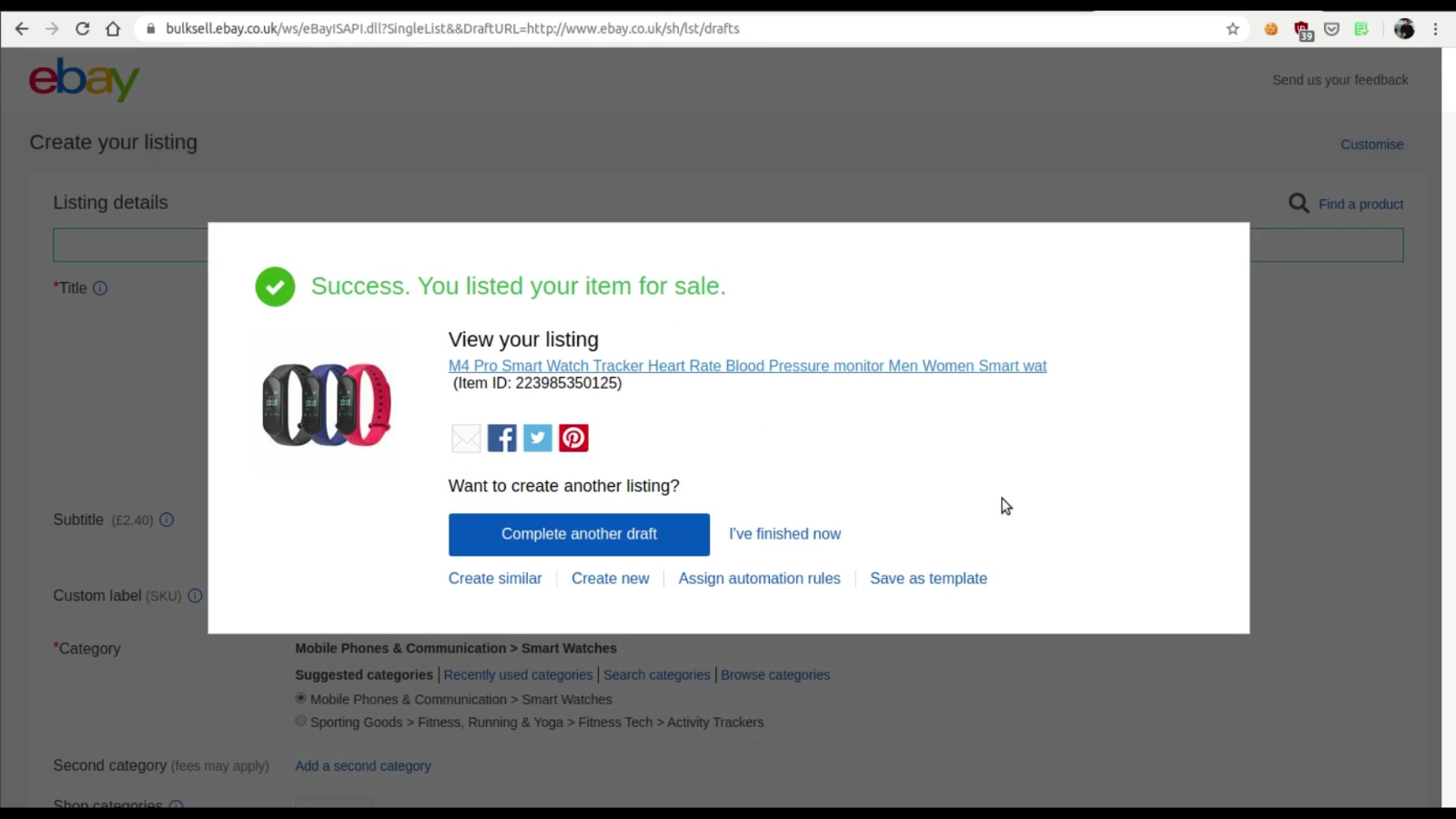
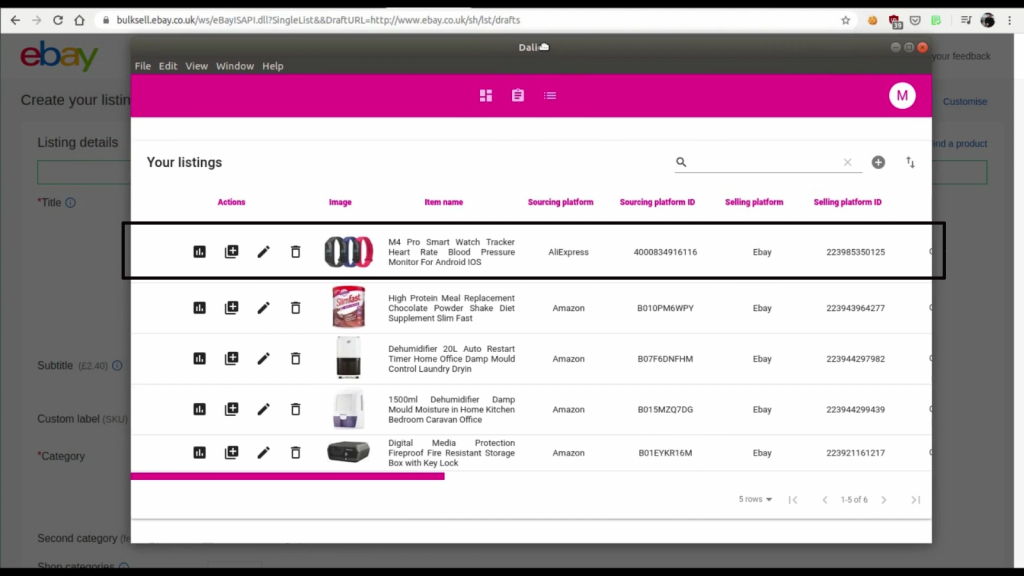
We have integrated the popular listing extension “Dropship Lister” with Dropship Beast, so you can copy any product listing from any site, directly to your Dropship Beast app.

1. Sign up on the Dropship Lister homepage.
2. Install the Dropship Lister Chrome Extension.
3. Watch this video tutorial on how Dropship Lister and Dropship Beast work together.

As soon as you create a new listing with the Lister extension, your listing will be added and synced with the Dropship Beast app.


dropship lister dbapp integration

Grow with confidence

Download Now

Legal documents

  • EULA
  • Terms and Conditions
  • Privacy Policy & GDRP
  • Affiliate Agreement
  • Affiliate Dashboard

Get Started

  • How to install
  • Connect your accounts
  • Add listings
  • Understand logs

© DROPSHIP BEAST 2020 - All rights reserved