
In order to have variations, you first need a ‘parent’ listing to add the variations to. A ‘parent’ listing can be any of your currently added listings. Bear in mind that once you add a ‘variation’ to any listing, it becomes a ‘parent’ listing and stops being repriced by the reprice as it is just a container for its ‘variations’.
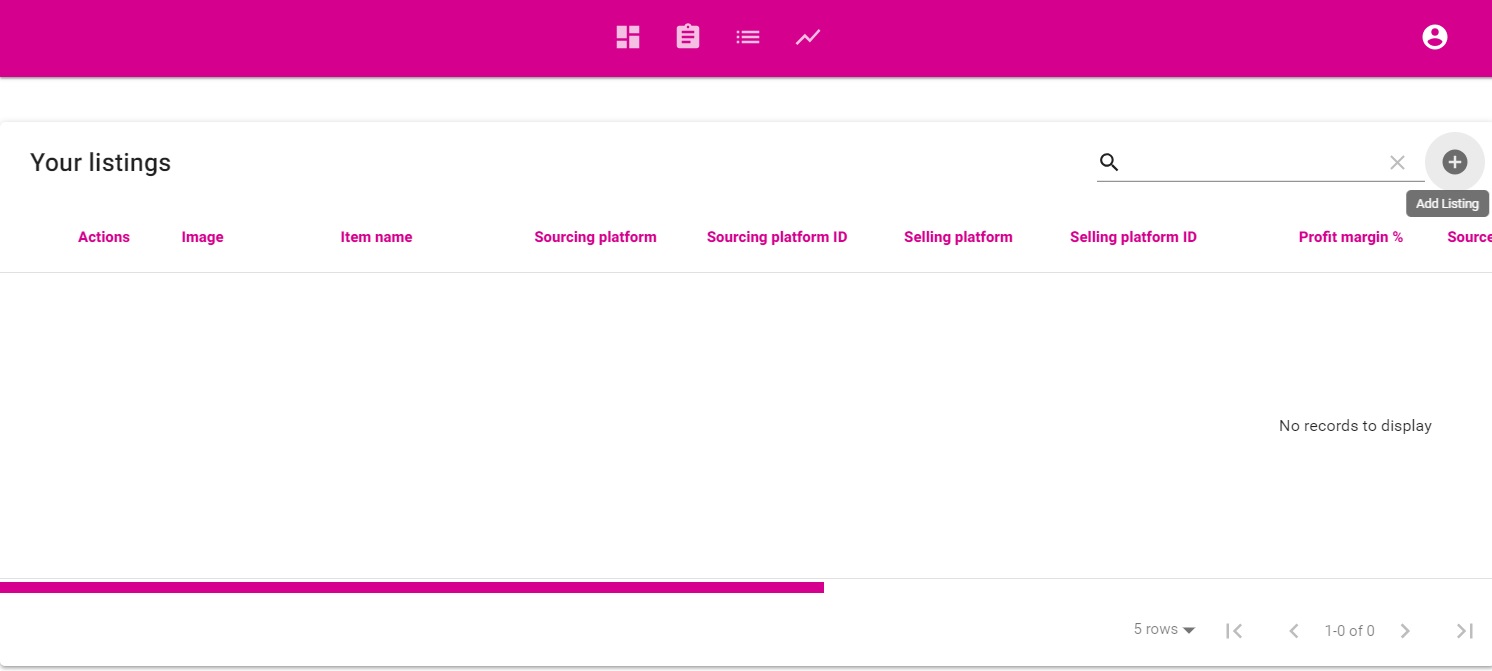
1. Go to your ‘Listings’ page and click ‘Add listing’
2. Fill the information as if you are creating a normal listing. as this product will not be a part of the reprice process.
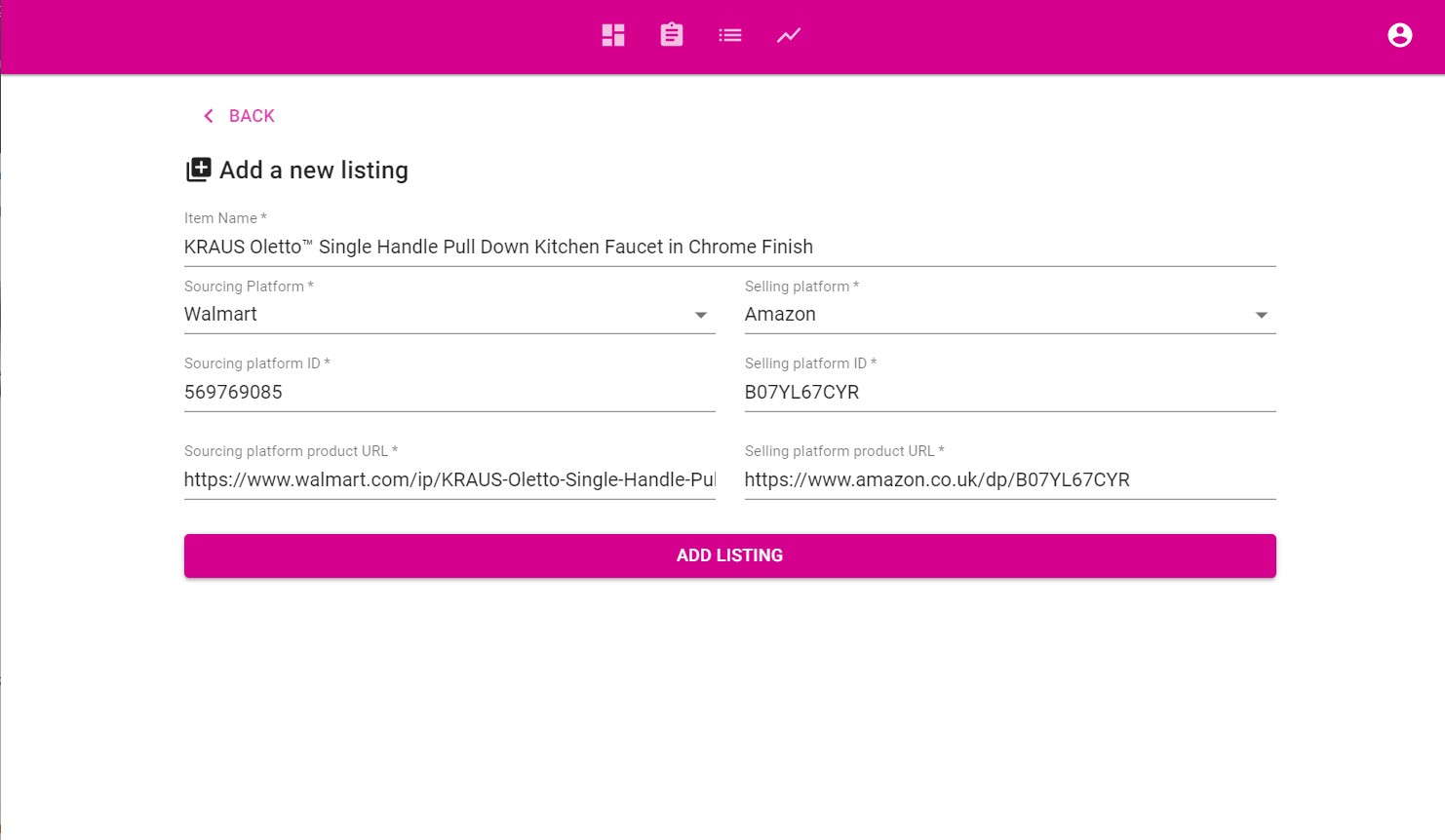
3. Click ‘Add Listing’ and your first ‘parent’ product will be ready.
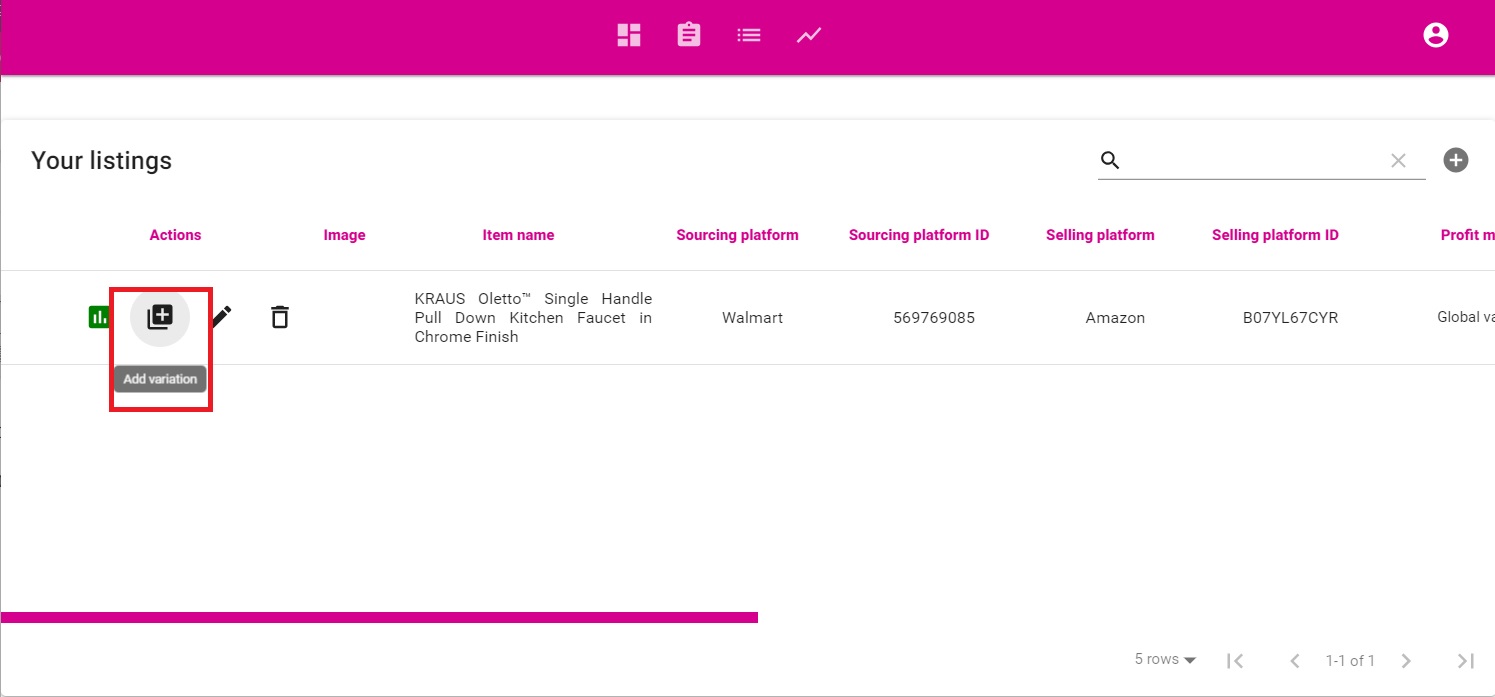
4. Now it is time to add the variations for that product. Click the ‘Add Variations’ button for that particular ‘parent’ product
5. Fill the information for the variation you would like to add
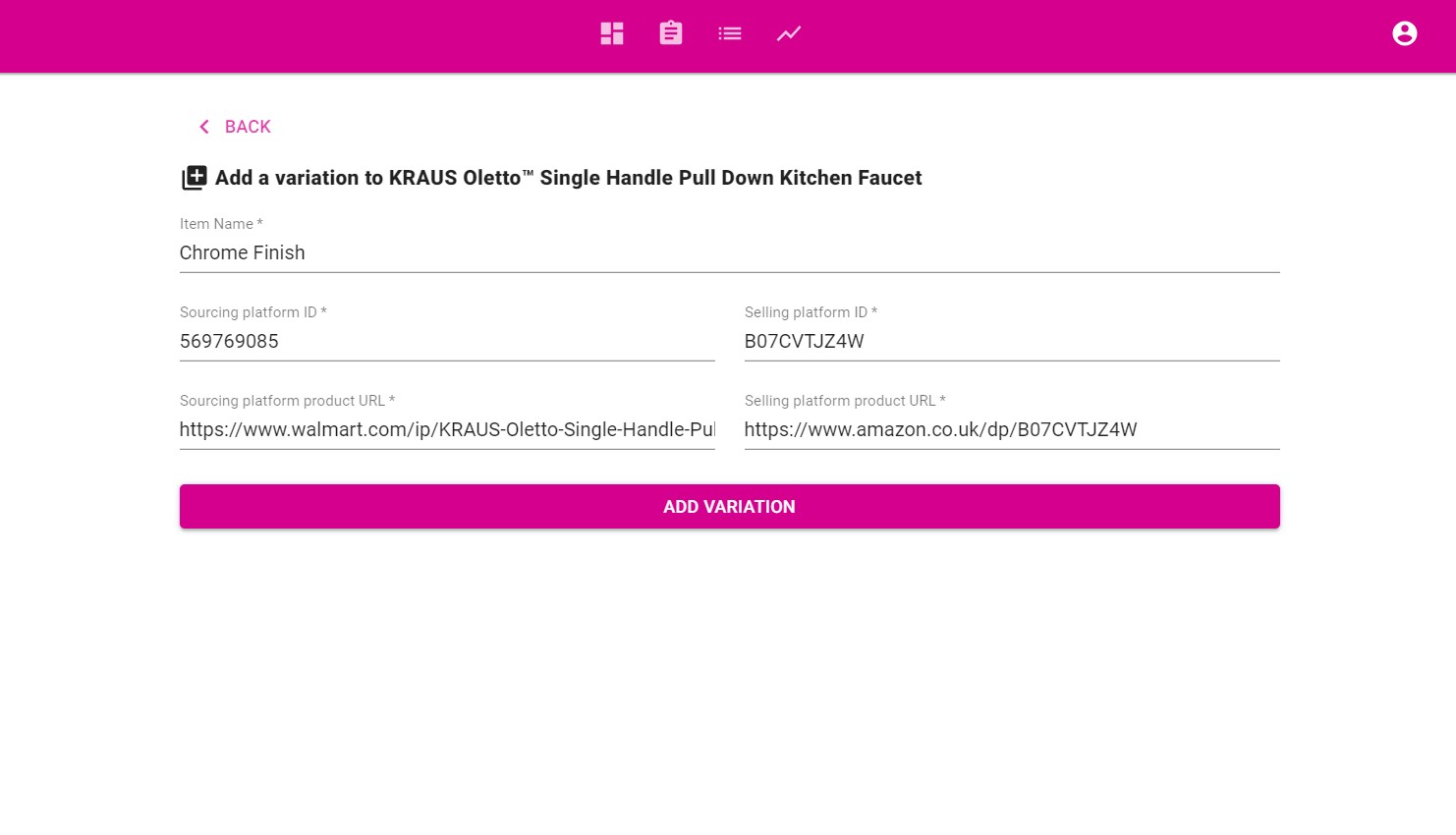
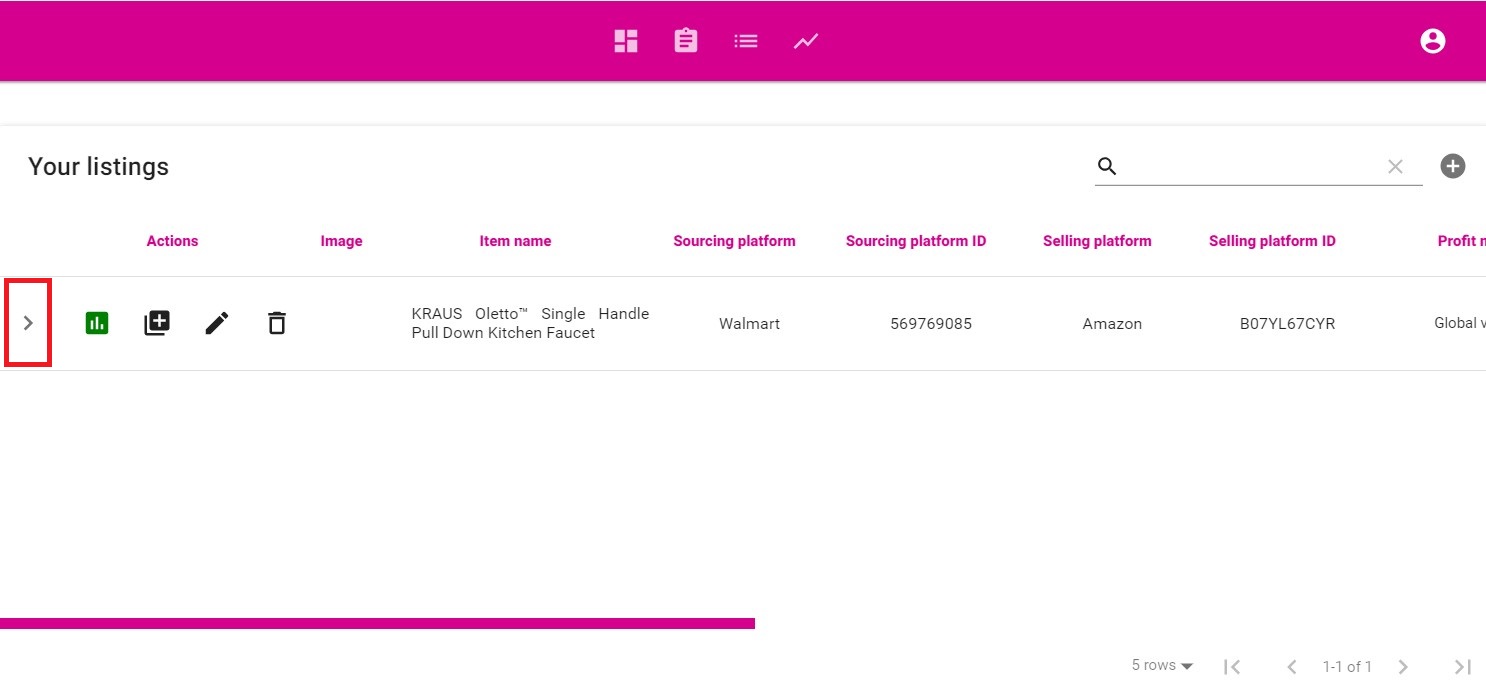
6. Click ‘Add Variation’ and you are all done. The ‘parent’ listing now has an ‘expand’ arrow on the left, when clicked it will show all of the variations of that ‘parent’
Repeat the process for any additional variations.